







D2X-XL
Version: 1.15.270
Category: Action
Average of 15 Ratings: 

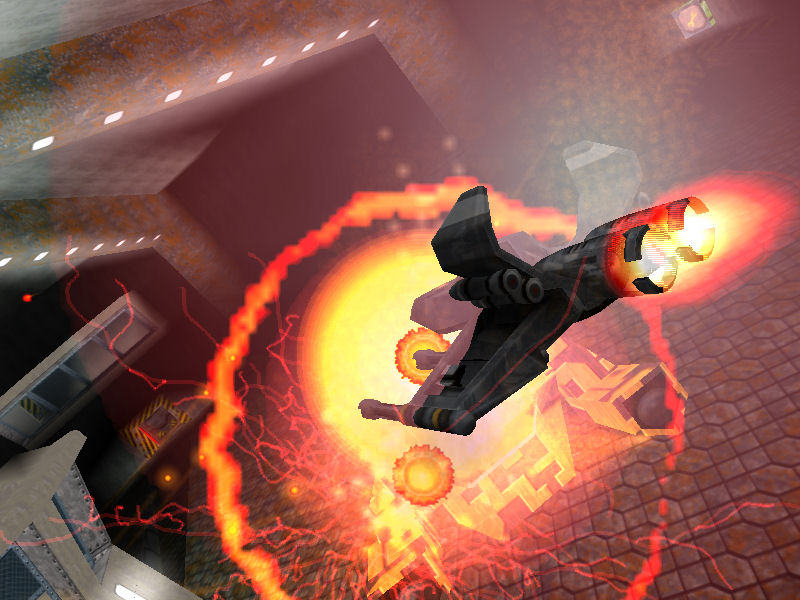 Descent 2 OpenGL port
D2X-XL is an OpenGL mod for the classic 3D game Descent 2. D2X-XL is based on D2X 0.2.6. D2X-XL has all bugs from D2X 0.2.6 fixed and has restored all features from the original D2_3dfx (official Voodoo graphics version).
- Above that, D2X-XL contains many new features, like:
- Colored lighting, lightmap support and per pixel lighting
- Hires textures, models and sound
- Many new effects (smoke, lightning, coronas, dynamic shield effects, various gun effects)
- Massively increased level size (8000 segments, 2000 walls, 3500 objects)
- New game mechanisms (in-level teleports, speed boosts, cameras, new trigger types, programmable triggers)
- Full modding support allowing to change textures, models, AI, sound, music per mission and per level
- Screen resolution up to 1920x1200
- Full support for playing D1 missions
- UDP/IP multiplayer code and tracker support
- New game types (improved CTF, Entropy, Monsterball)
- Up to 16 players in multiplayer games
and many, many more. See the D2X page from www.descent2.de for a (half way) complete list.
License: free
Requirements:
- Original game data
- gcc
- SDL 1.2.8 or newer
- OpenGL
- Graphics card with hardware 3D acceleration (shader support not required, but recommended)
| Sound: | Play in X: | Play in Console: | Multiplayer: | Network Play: | 3D Acceleration: | Source Available: |
|---|---|---|---|---|---|---|
| yes | yes | no | yes | yes | yes | yes |
Submitted by karx11erx on 2005-11-18.
The source archive download link above is indeed broken and should be http://www.descent2.de/resources/d2x-xl.tgz.
I get this error when compiling the sources:
Any hints?
By the way, what's the license of this game? There's a file called COPYING with the GPL but says other.
Ok, used the --with-opengl option, now i get the following error: I couldn't find any xpm in the tarfile :-(. Anyone? I'm using Gentoo if that makes a difference.
If you comment out the lines #98 and #99 of src/arch/ogl/sdlgl.c the compiler wont stop there anymore. I doubt that this error is Linux-specific, since the file descent.xpm simply doesnt exist.
However, the compiler fails later in the make process with the following error:
make[2]: Entering directory `/home/metty/Documents/downloads/games/descent/src' make[2]: *** No rule to make target `d2x-xl.c', needed by `d2x-xl.o'. Stop. make[2]: Leaving directory `/home/metty/Documents/downloads/games/descent/src' make[1]: *** [all-recursive] Error 1
Any solutions?
Same here. You need to add --with-opengl to configure.
I alo had to edit arch/ogl/sdlgl.c and change
SDL_WM_SetCaption(DESCENT_VERSION, "Descent II");
#ifdef SDL_IMAGE
{
#include "descent.xpm"
SDL_WM_SetIcon(IMG_ReadXPMFromArray(pixmap), NULL);
}
#endif
to
SDL_WM_SetCaption(DESCENT_VERSION, "Descent II");
#ifdef SDL_IMAGE
{
//#include "descent.xpm"
//SDL_WM_SetIcon(IMG_ReadXPMFromArray(pixmap), NULL);
}
#endif (I think this cann be overworked tieh disabling SDL_Image)
to get it compiled. And i needed to disable assembler (iirc).
Haven't played it yet. Will test tonite.
Good luck and best regards
paines
I don't have the compiler errors mentioned here.
Improved installation instructions on my d2x page.
I tried to change the makefile target to d2x-xl, but for some strange reason you get that 'cannot find a rule to make d2x-xl.o' error with that. If someone could figure how to make that work, I'd be grateful. :) So for the time being, the executable produced by the make file is named d2x-gl.
The only thing not working I know of now is the full UDP/IP multiplayer communication. I will add that this week. Once it works, you will be able to play mp games w/o KALI.
karx11erx (Diedel)
you will also need --sharepath=/your/d2/directory
If you have an assembler installed, you obviously need to specify '--disable-assembler' to ./config.
I have no clue what that share argument does, mind enlightening me? :)
some bugs I've noticed so far:
Doesn't read the ini file from $HOME/.d2x/
I am unable to select existing player profiles only create new ones
The bots in single player move at incredible speeds even with maxfps set low.
Here's a simple implementation:
#include #include #include
int main() { char * path; char full_path[256];
memset(full_path, 0, 256);
path = getenv("HOME"); snprintf(full_path, 256, "%s/.d2x", path);
printf("%s\n", full_path);
return 0; }
Please regard that d2x-xl currently expects the Descent data to reside in $HOME/D2. I will change this if there is a standard folder (like $SHARE/descent2 or whatever - if SHARE is defined). Please let me know about this. :)
Of course a lot of programs (especially commerical games) don't always do this and will just run in their own directory using a custom ENV variable to set the path.
I think it would be best to at least read the d2x.ini and .plr files from $HOME/.d2x-xl/ and then let people set the directory to the hogs in an ENV var or as a command line option.
$HOME is the path to the current users home directory. If a file has a '.' before it's name it's a hidden file.
Simple implementation:
char * path;
char full_path[256];
memset(full_path, 0, 256);
path = getenv("HOME");
snprintf(full_path, 256, "%s/.d2x", path);
printf("%s\n", full_path);
Note that 'stdio.h', 'stdlib.h', and 'string.h' need to be included
Shouldn't be hard to grab a copy on Ebay. It's well worth a few bucks, believe me. :-)
Listing important configure options might be a good idea, too.
Note that some (all?) CDs contain only a .sow file in the d2data directory, which isn't enough for d2x-xl to work with. You need to copy the .sow file into /usr/local/share/d2x-xl (along with everything else in the CD's d2data directory: the .mvl and .mve files), then cd into /usr/local/share/d2x-xl and:
(Assuming you have the Linux version of arj installed.) This will extract each of the real data files from the .sow file (it's just an ARJ-format archive; check with the "file" command to see for yourself). Once that's done, rename all the files whose names are showing up in uppercase (these are the ones that got extracted from the .sow file), so their names are in lowercase. Then try running d2x-xl.
(This is one way to get around installing it. I believe the installer extracts the data for you too.)
I also needed to ensure the files were in /usr/local/share/d2x-xl, not /usr/local/share/games/d2x-xl (which is the directory the output from configure gave). I couldn't get the latter directory to work. But maybe that's because I was using an old version at the time or something; I since updated from 1.5.28 or so to v1.5.112, because I was having problems with robots bouncing around at faster-than-light speeds (or so it seemed). I figured a newer version would help; it seems that it did.
>abi@zaphodb:~/install/d2x-xl/src$ make
>make all-recursive
>make[1]: Entering directory `/home/abi/install/d2x-xl/src'
>Making all in 2d
>make[2]: Entering directory `/home/abi/install/d2x-xl/src/2d'
>if gcc -DHAVE_CONFIG_H -I. -I. -I.. -I ../include -I ../main -I ../arch/linux/include
>-I/usr/include/SDL -D_REENTRANT -pipe -O2 -Wall -Wno-char-subscripts -MT 2dsline.o -MD
>-MP -MF ".deps/2dsline.Tpo" -c -o 2dsline.o 2dsline.c; \ >then mv -f ".deps/2dsline.Tpo" ".deps/2dsline.Po"; else rm -f ".deps/2dsline.Tpo"; exit 1; fi
>In file included from ../include/ogl_init.h:254,
> from 2dsline.c:85:
>../main/lightmap.h:32: error: syntax error before "pglCreateShaderObjectARB"
>../main/lightmap.h:32: warning: type defaults to `int' in declaration of
>`pglCreateShaderObjectARB'
>../main/lightmap.h:32: warning: data definition has no type or storage class
>../main/lightmap.h:33: error: syntax error before "pglShaderSourceARB"
> [...]
> [further similar error messages]
It seems that lightmap.h includes ogl_init.h and ogl_init.h includes lightmap.h again, which in my case leads to some confusion. Do I need a specific gcc compiler version?
Greetings
Andreas
Hi, please add proper version numbers to the files. Otherwise the versioning systems of some GNU/Linux distributions (such as Gentoo) will be confused and their devs will not permit to let such a package enter the application tree.
Otherwise I am pretty happy that work on such a great game as Descent continues. My best wishes to its new maintainer!!!
Any reason why not official sourcecode repository (savannah.gnu.org, gna.org, berlios, sourceforge) is used?
/me has no clue of official source repository systems. Isn't the current one (SVN) good enough?
First I though you misunderstood me but now I see the new file names with proper version information and thats the way to go.
Thanks!
fbuffer.c: In function 'ogl_fbuffer_avail': fbuffer.c:71: warning: implicit declaration of function 'glCheckFramebufferStatusEXT' fbuffer.c:71: error: 'GL_FRAMEBUFFER_EXT' undeclared (first use in this function) fbuffer.c:71: error: (Each undeclared identifier is reported only once fbuffer.c:71: error: for each function it appears in.) ... make[3]: *** [fbuffer.o] Error 1
In file src/arch/ogl/fbuffer.cfbuffer.c: I added #include at line 31 and everything went ok (the file is located at /usr/include/GL/glATI.h). I have the proprietary ATI drivers (fglrx-driver-dev).
Certainly, there is a more elegant way to correct this, but I hope this can be helpfull. I imagine, there is a similar error for nvidia proprietary drivers.
fglrx 8.20.8 (ATI proprietary drivers)
debian testing
gcc version 4.0.3 20051201 (prerelease) (Debian 4.0.2-5)
I see in my post, a line came out different as I wanted. I added this on line 31, where the * are either a smaller than or grather than:
#include *GL/glATI.h*
The more I use Linux, the more I hate it.
find /usr/include -name '*.h' -exec grep -H some_text {} \;orfind /usr/include -name '*.h' -print0 | xargs -0 grep -H some_text(this one is faster).(Since you're asking grep to recurse a directory, you need to give it a directory to recurse. :)
D2X-XL works great on my linux computer, but when in game, typing "Alt + F2" causes the program to segfault (not always... approximatively 50% of the time).
"Fatal signal: Segmentation Fault (SDL Parachute Deployed)"
Do you have any idea where it could come from ? Am I the only one to experience this ?
I don't know if it's important, but /usr/local/share/d2x-xl is a symbolic link towards /mnt/windows/data/Jeux/descent2
Is there a way to compile D2X-XL in order to get debugging messages ?
Call './configure --enable-debug=yes --enable-release=no' to create a debug version (will not create special debug output though, but will be debuggable with a debugger).
Maybe now is the moment to learn.
Thanks for all.
* Original game data
... how sad...
When I run the thing I get the movie intro, I get the music, but the menus say things like "ENNER OOO PILLL NNME" instead of "ENTER YOUR PILOT NAME". I enter a pilot name, select keyboard only (or "KEEBBBD OOOY" :-) and it just keeps going round in a loop with that type of screen.
Anyone got any ideas? I used to love this game and think it's great what you've done with this...
The following is the contents of my data directory... does this look right?
And my Ubuntu release is as up-to-date as it can be.
I'll keep investigating & let you know if I can find out what the issue is.
* Original game data
I've found a place where you can get it for free!
http://nahoo.net/downloads/games/
Descent 2 (26 MB)
For one reason or another, every now and then, performance is really jerky, almost to the point of freezing - the jerkyness never lasts more than 1-2s, and occurs ca twice every minute. I doubt my hardware is at fault (amd 3000+, 5600fx ultra), but perhaps my configuration is to blame, or I forgot to add some compile option? I'm running a 2.6 kernel (with the nvidia module) under gentoo. Is anybody else having similar problems, or more importantly, managed to resolve them? Other opengl games run without issues.
Cheers,
Toby Haynes
No, not any background activities which would explain the jerkyness - although I am running KDE as my DE - but I find it difficult to believe that KDE is the cause for such slow downs.
I just realized however that fast writes are disabled, which I'll have to look into later, but other games run fine (although I realize d2x-xl may not have undergone a lot of optimization yet) - my guess is that I missed something during the compilation, even if I followed the instructions. Hmm. another thing popped into my head, I've not compiled it with any optimizations enabled - i'll re-compile it and post my results here.
Once again, thanks for the quick reply,
Blackrax
As yours is the first report of that kind, I assume the problem is related to your system setup.
So, what's needed? Textures, models and sound of course, plus new graphics for menus and briefings. Is there a site that gathered this material already and would it be enough to build a completely free package?
on Debian sarge I get still compiling issues. I edited configure.ac as stated on the 'installation' page and typed "sh autogen.sh", "./configure" and "make". Then, already at the second C file, I get the following error message:
gcc -DHAVE_CONFIG_H -I. -I. -I.. -I ../include -I ../main -I ../arch/linux/include
-I/usr/include/SDL -D_REENTRANT -pipe -O2 -Wall -Wno-char-subscripts -c `test -f '2dsline.c' || echo './'`2dsline.c
In file included from 2dsline.c:85:
../include/ogl_init.h:350: error: syntax error before '*' token
Is there anyone who is able to compile d2x-xl on Debian sarge?
Thanks and greetings Andreas
This really depends on the installed version of the GL headers; which again depends on your graphics card. If you are able and willing to install nvidia/ati proprietary drivers, that might be the easiest way out.
If not then you may be able to add the missing definitions to ogl_init.h (before the calls); get a copy of modern (>= 1.3) GL headers and search for them there. This will probably only work for extensions queried with glXGetProcAddress, not for stuff that really changed. It may not work at all, but depending on your programming skills it should not take very long to try; this method worked for me (never tried it with d2x-xl though) when I was still using Xfree86 with the free drivers.
To the developers:
Thanks for your work!
That being said, I have a few comments/bug reports:
* Is it still possible to compile with only SDL? I tried './configure --without-opengl' which causes the compile to break with an error in 2d/bitmap.c. Am I missing anything here?
* Now I am the second person reporting the broken-menu bug ;-) You may very well be right about this being a driver problem, but I am _not_ going to install the ATI drivers and many other people might not do so as well.
To clarify: Only part of the menu display is broken; in many cases just the 'title', the chooser seems like the worst case.
I understand that this is not easy to solve; you can't unless it happens for you (which it obviously doesn't) and (so far) those that could probably didn't feel motivated to read the amount of code required to locate the bug (at least that describes me). So why not lower the bar? Make a small test-case program that does nothing but display a menu (something like main/gameseq.c does with TXT_SELECT_PILOT; the pilot chooser), add that to your sources and make a note somewhere asking those experiencing the problem for help (and point to the test-case).
You may ask why should invest time to solve something that may not be your error/problem: for the moment it is your program displaying (sorry for the pun :-) the bug. It may go away without doing anything (assuming it is a (radeon-)DRI bug) or it may stay indefinitely (until someone files a bug report).
Considering that we are talking about a menu (propably something alike: some kind of font -> textured vertices -> screen) Occam's Razor tells me that the problem is most likely in your drawing code and not in our drivers.
I will not add SDL compatibility to D2X-XL. If it would work at all, it might be a major task given all the enhancements I have built into it. D2X-XL is OpenGL. If your drivers don't work, don't blame D2X-XL for exposing a 'bug' when it's actually your driver. If you don't want to install proper drivers, don't blame me for not working around your unwillingness to perform a reasonable action to solve your problem.
Judging from the total download numbers per version, D2X-XL has at least several hundred, rather some thousand regular users on Win32, Linux and OS X. I have heard two times about this bug.
I also really cannot work around all the problems the mass (should I say: "mess"?) of Linux distros cause here. Some have good and update OpenGL support, others don't. Blame the distributors.
I have sunk thousands (!) of hours of work into this program for free. Less than 20 users have even donated some money to me. Not that I am after your money, but issuing bold statements and demands is not quite in line with this.
Furthermore I decide what is 'reasonable' when it comes to installing drivers on my computer, not you! To explain (again): It tried the ATI drivers, they didn't work very well.
And the 'blame your distributor' excuse is really getting lame. You are suggesting that some of the drivers (including mine) are not able to draw a menu? I find that hard to believe, considering I have tried most of the OpenGL examples my card supports hardware-wise; they worked as intended. As does the actual d2x-xl game (once one gets past the menu).
I know it is my problem (as it stops me from playing; and I really like what you did to the old 'd2x'). I consider reporting a bug 'a good thing'; so far none of us can say with absolute certainty where exactly it comes from. If you are not interested in helping to fix it, which is certainly your right (and understandable: a configuration-specific problem only occurring for very few users is not so important) I'll stop bugging you and play dxx-rebirth instead (which works fine).
And please don't understand any of this as a personal insult; I know what you do takes a lot of time and as a (potential) player I appreciate it. We are all doing this for fun (aren't we?), so let us not lose our temper over a rather pointless discussion.
So I installed the binary version but it wont run, it segfaults as soon as i run it.
The i went for the source code, but no luck either =( It wont compile, here's the
error: Help is REALLY appreciated =)
I'm on Gentoo Linux,
libsdl-1.2.9-r1
gcc (GCC) 3.4.4
About compiling.. could it be that your videocard doesn't supports those opengl extensions, and because of that they aren't defined in your include files? Which videocard do you have?
You mean "didn't work".
That's my Card, integrated vga
glxinfo says:
Thanks in advanced =)
Why don't you read the installation instructions - they propose several work arounds for this problem?
Why the heck do so many people think they can do w/o the readme files, installation instructions and FAQs software developers provide for good reason and then come screaming when something doesn't work?
I had proposed to do 'silent' updates of D2X-XL to the HP team (i.e. where the info on this page gets updated, but D2X-XL doesn't get bumped on the news page), but obviously to no avail.
On the other hand do the updates make sense, as I publish new versions pretty often and the download link changes with every version.
It is absolutely up to my disposition how often I update, and btw, I am perfectly in line with the SourgeForge.net policy of "release early, release often". SF.net certainly has more qualification to say something about release frequency than a single software user.
Finally I think its a service to the D2X-XL community to ofter bug fixes and new features so frequently (instead of letting them wait forever like other projects, or specifically the inofficially dead 'official' D2X project).
If you don't want the updates, don't download them.
If you don't want them here, petition the HP team. If they ignore my update submissions a few time (which cost my time), I will simply stop making them at all - at the cost of the Linux D2X-XL users depending on this source of information, who can then thank those few grumpy individuals this achievement.HP demands a download link.
And then it's entirely up to the HP team to publish an update or not, so friggin don't blame me for 'update spamming'. I am not sending an update note to HP for each release anyway, but only in intervals of 5 - 10.
Seriously though, no need to get so angry.
Don't let the whingers get to you. I have thoroughly enjoyed your Descent port and eagerly await further improvements. If there is one thing I'M not going to bitch about, it is frequent improvement. I especially appreciated it when the MIDI tunes working again on my plain jane ac97 sound chipset.
Incidentally, the default patchset timidity uses makes a HUGE difference in how those sound. Most people are using the "freepats" patchset. Most distros are shipping one two years out of date. The latest freepats includes more drum sounds that are very noticable with the Descent music.
That started grating on me too. I still use the newer freepats to listen to the songs from the menu because I hear some drums sounds better than with the stock freepats. So it's noisy but I hear more of a complete MIDI.
Late model versions of Timidity++ can use Gravis soundfonts directly. You just do something in your timidity.cfg like:
soundfont /path/to/soundfont.sf2
and comment out the line that reads
source /etc/timidity/freepats.cfg
There is a rather large catch though. SDL Mixer includes as part of it's codebase "an old version of Timidity". This aged mini-Timidity built into SDL mixer looks for its config file in /etc/timidity just like the separately installed full blown Timidity app. The Timidity built into SDL can NOT read Soundfonts directly. If you are using a Soundfont in place of a "pats directory+config" file then your SDL midi will go silent.
There may be utilities to convert from one to the other but I suspect that would be an error prone process. What I wish there was a way to do was to let SDL use an alternate backend for midi.
There are more timidity patchsets you can try here:
http://www.talula.demon.co.uk/allegro/digmid.html
I'll save you a little trouble. The Richard Sanders set will sound excellent until a note sticks in the second song of Descent 1. It may be good for other midi's though. Once you get the hand of editing Timidity's config, you can switch patchsets at will.
The showminst-0409 is apparantly offered by Gentoo. It did a passable job with a few D2X songs I ran by it.
Basically, Timidity is a software Gravis Ultrasound. You can use most any General Midi GUS patchset you find. I find that the easiest way to experiment with various sets is the following steps.
Go into the directory you unpacked the patchset into:
cd /home/anonuser/patchsets/newpatchset/
Open up the master config (like default.cfg or timidity.cfg. README is your friend...) and chuck something like this right at the top of the file:
dir /home/anonuser/patchsets/newpatchset/
Save that then:
Make a symlink to that master config in /etc/timidity like so:
ln -s /home/anonuser/patchsets/newpatchset/timidity.cfg newpatchset.cfg
Then I edit the timidity.cfg in /etc/timidity. I comment out whatever patchset is in use by sticking # in front of it and adding:
source /etc/timidity/newpatchset.cfg
Whatever you do, don't overwrite the patchset that came with your system or muddle with it's config. You want a way back if a patchset doesn't work out.
If there is a more up-to-date timidity source base I might try to integrate it into SDL_mixer. Link?
http://timidity.sourceforge.net/
Yes, the last update was in 2004. That still makes it newer than what is in SDL Mixer. That '04 rev of Timidity (2.13.3) can indeed load and utilize sf2 soundfonts.
It isn't D2X itself that is using an old statically linked Timidity. It is SDL itself. I suppose the better question is why the midi code in SDL is so moldy. One thing I did notice just poking around the docs and the Timidity site is the Timidity does not seem designed to be used as a library. If integrating that old version of Timidity into SDL Mixer was painful then that would be one answer to my question.
Congrats to a very good game.
"Additional System Requirements: - Original game data"
Since the engine itself is feature complete and fairly stable these days, why not start to redo the "content"? Start by re-making all the textures, then the models, then the sounds until finally you start to make new levels to replace the originals. This way we could have a completely free (libre) game without having to fish around ebay or somesuch for a legal copy.
Good examples of this kind of games are nexuiz, all free, but started as a mod for the original quake engine.
Wouln't it kick ass to have a completely liberated decent game?
Best of luck to you all.
Freyr Gunnar Ólafsson
http://gnarlin.homeunix.org
You sure have a nice idea there, but obviously haven't thought a lot about how much effort that takes.
There is an ongoing effort to recreate the Descent 2 textures, but it is handled by a single man who has other interests too, and generally has a life, and we're talking about over 2000 (2*10*10*10) textures. I'd consider it a miracle if he'd really finish that job. It's a gigantic task for a single person.
New textures still don't give us new polymodels, sounds and music. Volunteers anybody?
Hey, how about you? ;)
Another thought: Modernized ports of legacy games usually address the people who already know, love and hence own these games. They have the game data, too. It's a rather rare case that someone not knowing these games will like them so much that he wants to own and play them.
In the case of Descent, there are several mod and standalone software projects underway that can help these people, too. ;) See my Descent site for links.
I try to give some details on my box:
- Gentoo with 2.6.15 kernel
- NVidia GeForce2 MX 400
- AC'97 Sound Controller (onboard)
- Xorg-X11 6.8.2
- SDL 1.2.8
- No joystick
What else would one need to identify possible problem areas?
I'd very much appreciate if someone could give me a hint how I could isolate the problem.
TIA!
I did everything as explained in the installation instructions, e.g. edited "configure.ac" to reflect my SDL version as being 1.2.8, copied original D2 game files to /usr/local/share/d2x-xl and copied d2x-xl to /usr/local/bin.
------------------------------
GetAppFolder ('/home/henkel/.d2x-xl', '/usr/local/share/d2x-xl', 'config', '*.cfg')
GetAppFolder (config) = '/home/henkel/.d2x-xl' (-1)
Creating default tracker list
Loading main hog file
found hog file 'd2x.hog'
found hog file 'd2x-xl.hog'
found hog file 'extra.hog'
found hog file 'descent.hog'
Loading text resources
File 'descent.tex' not found
Loading hires models
File 'pyrogl.oof' not found
Loading ban list
File 'banlist.txt' not found
Initializing i/o
Reading configuration file
File 'descent.cfg' not found
Initializing control types
Initializing joystick
Initializing graphics
------------------------------
After having written the last line ("Initializing graphics") to d2x.log the program hangs for approx. 7 to 8 seconds and then segfaults.
Thank you very much for your attention!
----------------------------------------
GetAppFolder ('/home/henkel/.d2x-xl', '/usr/local/share/d2x-xl', 'config', '*.cfg')
GetAppFolder (config) = '/home/henkel/.d2x-xl' (-1)
Creating default tracker list
Loading main hog file
found hog file 'd2x.hog'
found hog file 'd2x-xl.hog'
found hog file 'extra.hog'
found hog file 'descent.hog'
Loading text resources
File 'descent.tex' not found
Loading hires models
File 'pyrogl.oof' not found
Loading ban list
File 'banlist.txt' not found
Initializing i/o
Reading configuration file
File 'descent.cfg' not found
Initializing control types
Initializing joystick
Initializing graphics
initializing SDL
initializing OpenGL
initializing OpenGL window
----------------------------------------
Would it say anything to you (anything wrong with my OpenGL setup?)? Thanks for your help!
----------------------------------------
Creating default tracker list
Loading main hog file
found hog file 'd2x.hog'
found hog file 'd2x-xl.hog'
found hog file 'extra.hog'
found hog file 'descent.hog'
Loading text resources
File 'descent.tex' not found
Loading hires models
File 'pyrogl.oof' not found
Loading ban list
File 'banlist.txt' not found
Initializing i/o
Reading configuration file
File 'descent.cfg' not found
Initializing control types
Initializing joystick
Initializing graphics
initializing SDL
initializing OpenGL
initializing OpenGL window
Setting SDL video mode (width=1024, height=768, color depth=32, fullscreen=0)
Setting SDL video mode (width=-1, height=-1, color depth=32, fullscreen=0)
Setting SDL video mode (width=-1, height=-1, color depth=32, fullscreen=0)
Setting SDL video mode (width=-1, height=-1, color depth=32, fullscreen=0)
----------------------------------------
The last line ist then repeated more than 100,000 times! I tried other screen resolutions and played with the fullscreen toggle such as:
- d2x-xl -640x480 -printlog
- d2x-xl -800x600 -fullscreen -printlog
but still got errors like these:
Setting SDL video mode (width=640, height=480, color depth=32, fullscreen=0)
Setting SDL video mode (width=800, height=600, color depth=32, fullscreen=1)
I also tried SDL v1.2.10 which is marked as unstable in Gentoo, but to no avail. :-(
Fatal signal: Segmentation Fault (SDL Parachute Deployed)
This led me to check my X configuration, and its running in 16 bit mode. So I changed to 32 bit, restarted X and now d2x-xl starts just fine! At least I see the player selection screen therefore I believe everything is okay now.
Sorry for the hassle and thank you very much for your time. d2x-xl is a great piece of software, BTW! ;-) Thanks for all your efforts.
Initializing control types
Initializing joystick
Initializing graphics
initializing SDL
initializing OpenGL
setting OpenGL attributes
initializing OpenGL window
setting SDL video mode (1024x768x32, fullscreen=0)
Could not set 1024x768x32 opengl video mode
SDL obvioulsy claims that it cannot open the requested video mode. Would it make sense to print an error message and quit gracefully at this stage?
BTW, is this the right place to report problems and bugs? Or would one of the Descent forums be more appropriate?
Nevertheless, you're doing a great job here. Thanks a lot again!
If you get errors, you may need newer versions of automake and autoconf. You'll need at least automake 1.5 and autoconf 2.50. /usr/share/aclocal/smpeg.m4:13: warning: underquoted definition of AM_PATH_SMPEG run info '(automake)Extending aclocal' or see http://sources.redhat.com/automake/automake.html#Extending-aclocal arch/Makefile.am:3: required directory arch/dos does not exist So next thing I tried was creating the dos directory mention above in src/arch/. Ran automake again, with the same problem, Next I tried running configure, and that ran fine until it checked the SDL version:
checking for SDL - version >= 1.2.10... *** 'sdl-config --version' returned 1.2.9, but the minimum version *** of SDL required is 1.2.10. If sdl-config is correct, then it is *** best to upgrade to the required version. *** If sdl-config was wrong, set the environment variable SDL_CONFIG *** to point to the correct copy of sdl-config, and remove the file *** config.cache before re-running configure, I thought that changing configure.ac should fix that, but I guess not. I tried looking for this config.cache file to get rid of it thinking maybe it was holding onto the old sdl settings, but I can't find it anywhere. I think my problems are stemming from the errors thrown during the automake, but I'm clueless as to how to get rid of them. This is the only forum I could find to ask these sorts of questions. Your help is greatly appreciated.
This is the part that I changed from 1.2.10 to 1.2.9. I couldn't find anywhere else refering to SDL version 1.2.10.
1. Create a directory and put the rar file from the d2x-xl site in it (the rar doesn't create a directory on it's own...you really have to do this)
2. cd to that directory and "unrar x d2x-xl-src-1.6.190.rar"
3. In the same directory now do "unrar x d2x-xl-makefiles.rar"
4. Say yes to overwriting the pl file
5. The configure supplied probably won't configure the source correctly so do ./autogen.sh
6. On Ubuntu at least you may need to go to /etc/alternatives and point at the most recent autotools installed or install the most recent autotools available to get autogen.sh to work. Many distros have multiple versions available.
7. You have have to edit the configure and change the SDL_VERSION from 1.2.10 to 1.2.9. Just do a find for "1.2.10". Alternatively you can apt-get source libsdl1.2-debian from the Edgy repository and build and install on Dapper. It didn't seem to break any of my SDL games. YMMV.
8. do ./configure
9. edit conf.h and change the line that reads "#undef USE_SDL_MIXER" to "define USE_SDL_MIXER 1" to enable in-game music.
10. make
11. If the build suceeds you will get a d2x-xl binary in the root of the source tree. Set up your descent data directory according to the website's instructions and enjoy. You may need to download and poach some additional data files from their Windows download and chuck them in your Descent data directory
If you do ./configure --help there is an option to change the location where d2x-xl looks for it's data. I believe the default is /usr/local/d2x-xl.
9. edit conf.h and change the line that reads "#undef USE_SDL_MIXER" to "#define USE_SDL_MIXER 1" to enable in-game music.
Compression's not really better than bzip2, and bzip2 is there out-of-the-box. Using rar is just a way to make an extra PITA for people trying to use your source code.
The major GUIs in linux also natively work with zip, bz2, tar, gz, etc., so that one can simply enter an archive as a folder. It's very annoying to be forced to open another app to browse a rar archive. Just because something is common in Windows, doesn't mean it's the best in all cases.
If we are talking about best compression, than ace (what happened to that??) and 7z beat rar all the time, even if only by a little bit, in my personal tests. A tar.gz always virtually equals a zip, almost to the byte, in terms of size. There is no advantage to using the zip format.
The major windows archive programs all support tar.gz, for example. Linux isn't just a secure and advanced version of Windows, lol, it is its own OS with its own preferences and often for good reason. Having opensource unrar support is nice, but there is no opensource version of rar and the free version is crippled in some important ways. Until that changes, it is unlikely that rar will ever become the standard in linux - not that it should, since, as I've said, it does not get the best compression possible...
RAR and ZIP are archivers *and* compressors.
Tar is an archiver that collects all files and attributes (important on Linux; not so very much on Windows) into one stream.
Tar+gzip would compress better than a ZIP archive, as the whole stream is compressed. Zip compresses *each individual file*, while RAR has the 'solid' method, which generates an archive stream compressed as a whole.
So, for Linux sources, you want to use GNUTar and a well-supported compression method. Gzip is the fastest choice, Bzip2 is usually a better choice. 7zip isn't yet a flag in GNUTar, but I'd love it if it did, as it's both fast and efficient.
On the other hand, if you want an OS holding your hand at every occasion (that is what Linux geeks say to mock at Windows users), why don't you simply get WinXP and download WinRAR?
I could continue to ramble about people using a software for free, never lending a hand nor at least donating, but constantly criticizing. ;)
Here's the deal. I've been out here for a long time. Rar was used when a 1.44 floppy was the standard and when I used to get stuff from news groups it was useful. It really has no real use these days.
If I want windose users to use my stuff I don't give em' a tarball. I give em' a zip. Maybe figure out tarballs ... there is a reason *nix uses almost nothing else ... they work very well.
I get HD files that are 175 godamn rars and these are movies that are basicly uncompressable. Just dumb.
Pretty nice on my new Sony 34XS955 HDTV. At 720p it is just sweet and 60fps smooth. I have Doom running there too with the old Demon Gate 666 CD with 700+ wads and the H2Mudfest stuff as well. Now with this fine version of Descent life is indeed .... a feast of gaming when I am hungry for that stuff.
Thanks eh', maybe put up a paypal donation link on your site.
Where do I prepare D2X-XL Linux files? On Windows.
Tada! :P
> On Windows. Tada! :P
That's because you downloaded a pre-compiled binary. Let's see if you say the same about compiling programs from source yourself in windows. That's assuming you paid the $500+ dollars for some microsoft compiler/dev kit, or downloaded one that works from somewhere.
Many commercial linux games come with an "installer" like the windows version. The only purpose of this installer is that the end user sees the windows and linux versions as identical. Once you've installed the game, you can just make a big archive of the directory, bring it to another machine, uncompress it and it works. Try doing that with the windows version of the same game - you won't say "tada" very often.
> "NEVER post Linux source content in a rar file! Or a zip either. It is the worst idea ever"
AGREED!!! The rar, zip, arj, etcetc. formats DO NOT SUPPORT symlinks, user/group ownerships and permissions (read/write/execute flags etcetc) which are a NORMAL PART of any useable filesystem since the first UNIX systems from over 40 years ago.
It's VERY ANNOYING to have to restore all these manually because some winferior systems don't support them. Rar or zip is fine for simple data files (pictures, sound, etc) but NOT for entire source code directories!!!
1. Create a directory and put the rar file from the d2x-xl site in it (the rar doesn't create a directory on it's own...you really have to do this). eg. mkdir build-d2x; cd build-d2x; mv ../d2x-xl-src-(release version).rar.
2. cd to that directory and "unrar x d2x-xl-src-(release version).rar"
3. In the same directory now do "unrar x d2x-xl-makefiles.rar"
4. Say yes to overwriting the pl file.
5. The configure supplied probably won't configure the source correctly so do "sh autogen.sh"
6. On Ubuntu at least you may need to go to /etc/alternatives and point at the most recent autotools installed or install the most recent autotools available to get autogen.sh to work. Many distros have multiple versions available.
7. do ./configure --prefix=/usr/local
8. edit conf.h and change the line that reads "#undef USE_SDL_MIXER" to "#define USE_SDL_MIXER 1" to enable in-game music. I very much advise leaving everything else in that file alone.
9. make
10. If the build suceeds you will get a d2x-xl binary in the root of the source tree. Set up your descent data directory according to the website's instructions and enjoy (basically make a d2x-xl directory in /usr/local and put all of the data files from a descent install in it. Both d1 and d2 data files can be put there). You may need to download and poach some additional data files from their Windows download and chuck them in your Descent data directory.
If it happens/persists, go file a bug report on SF.net (see above) and tell me the exact names of the flawed files.
j/k
I tried to add the selfmade levels, but copying them to the hogdir, didn't work. Do i have to do s.t. else?
Thanks ST
$ mkdir d2x-xl; cp d2x-xl-src-1.9.125.rar d2x-xl/; cd d2x-xl/
$ unrar x d2x-xl-src-1.9.125.rar
$ unrar x d2x-xl-makefiles.rar
$ sh autogen.sh
Autogen gives me this warning, but no errors:
"If you get errors, you may need newer versions of automake and autoconf.
You'll need at least automake 1.5 and autoconf 2.50.
/usr/share/aclocal/smpeg.m4:13: warning: underquoted definition of AM_PATH_SMPEG
run info '(automake)Extending aclocal'
or see http://sources.redhat.com/automake/automake.html#Extending-aclocal
Now you are ready to run ./configure"
So I run configure, which gives me this error: ".infig.status: error: cannot find input file: Makefile"
The last line in config.log is this: ".infig.status:828: error: cannot find input file: Makefile"
But doing a plain ls shows me that Makefile exists right there in the current directory.
Here's what versions I have of stuff:
sdl-config 1.2.11
automake (GNU automake) 1.9.6
autoconf (GNU Autoconf) 2.59
GNU Make 3.81beta4
gcc (GCC) 4.0.3 (Ubuntu 4.0.3-1ubuntu5)
It's better to release a new version every day instead of making something stable
And most of all it isn't me who posts the updates here most of the time!
I cannot even tell when I posted one here the last time (until today).
You stupid troll.
Please post bug reports, support and feature requests in the D2X-XL bug trackers on http://www.sourceforge.net/projects/d2x-xl.
As I only drop by here once in a few months, that will massively increase your chances of being helped with D2X-XL problems.
1. Create a directory for the archive.
2. Place the rar file in the directory.
3. unrar x d2x-xl-src-1.x.x.rar
4. unrar x d2x-xl-makefiles.rar (say Y to all overwrite prompts)
5. sh autogen.sh
6. ./configure --enable-release --disable-debug --prefix=/usr/local
7. make
Other things like enabling music by editing conf.h and mucking with SDL versions is no longer necessary. The developers recently made major changes to the rendering path ending what was a long period of build and running stability. I've been experiencing build errors, completely dark mines, and one release that sizzled a savegame ever since the 1.11.x series started. I'd recommend waiting for month or two if you expect something that will build and play reasonably well without futzing around. Otherwise, please do the right thing and post your bugs on the author's Sourceforge bugtracker.
1. Create a directory for the archive.
2. Place the rar file in the directory.
3. unrar x d2x-xl-src-1.x.x.rar
4. unrar x d2x-xl-makefiles.rar (say Y to all overwrite prompts)
5. sh autogen.sh
6. ./configure --enable-release
7. make
Place the data files from a D1 or D2 install into /usr/local/games/d2x-xl. If you prefer to have the data in your home directory, a symlink to them from /usr/local/games/d2x-xl will work. The following from their site is how your data folder should look when done:
Folders
D2X-XL requires organizing the Descent 2 data in subdirectories of the main Descent 2 folder. Using these folders is mandatory. The main Descent folders are:
o MS Windows: Arbitrary
o Linux: /usr/local/games/d2x-xl
o Mac OS X: /Applications/Games/D2X-XL (important: Subfolders begin with a capital letter here)
o config: Put all config files here (*.cfg, *.ini)
o data: Put all game data here (*.pig, descent.hog & .msn, descent2.hog & .mn2, *.256, etc.).
Custom wallpapers (menu background images) belong here, too (except for Linux, see below).
o demos: Demo files will be saved in this folder (*.dem)
o missions: Put all mission data here (*.hog, *.msn, *.mn2)
o missions/single: Special folder where D2X-XL will look for missions if you chose "play singleplayer mission" in its main menu
o models: Put all hires model data here (*.oof, *.tga)
o movies: Put all movie files here (*.mvl)
o profiles: Put all player profiles here (*.plr)
o savegames: Put all save games here (*.sg?)
o screenshots: screenshots will be saved here if this folder is present (*.tga)
o temp: This folder is needed by D2X-XL for storing lighting data and temporary files.
On Linux, it looks for custom wallpapers (menu background images) here.
o textures: Put all hires textures here (*.tga)
o textures/D1: Put all hires textures here that should be used for Descent 1 (*.tga)
The mission folder can have subdirectories as well. You can place all pure singleplayer missions in 'missions/single'; if you select 'Play Single Player Mission' in D2X-XL's main menu, it will only display those missions in the mission selection dialog.
* Original game data
* gcc
* SDL 1.2.11 or newer
* OpenGL
* 3D graphics card (a small card like a GF2 M400 or Geforce 5200 will do)
The Tome appears to use some sort of automated system to announce releases of the projects it tracks. The Tome itself is responsible for spamming D2X-XL on every other page. It isn't D2X-XL's fault that it is released early and often.
and i'm ok with that except that this is the LINUX game tome.
The thiefbot generally won't come near you if you can see him. He basically runs away from your guns. So enable the rear-view display. The thief generally hangs out near the start of a level. Once he starts showing up, fire a few lasers at him. He'll run. Find a nearby alcove or tunnel with only one way in or out and point the back of your ship out the opening. Choose the most powerful gun you have. I like the fusion cannon if so equipped. The Mercury Missiles are good thief-hammers too.
Watch your Rear Display until the thief starts sneaking up on you. Once he gets close (but not too close!) spin around and let him have it. If you have the fusion, hold down the button as you spin and release as soon as that annoying little pest is in your sights. If it is a good long tunnel, you can make him eat at least two Mercurys too. He'll run like a scalded cat once you fire on him.
The thief is a tough little booger. You'll have to hit him four or five times this way before he dies. Thankfully, he's stupid too and will show up for another hit not too long after the first blasting. He'll do a little damage to your shields since he is apt to be close and goes out with a bang at death. As long as your shields aren't too low, you'll make it up as the thief generally leaves behind a couple of shield orbs when he blows.
1. You have to take out the thief when present. As I mentioned earlier, he is stupid. You need only a big gun, some patience, and the willingness to show him your ass a lot ;-).
2. Rooms with Robot Generators can be cleaned out as the generator will eventually stop producing robots. However, once you leave that general area it'll pump that room full of robots again. Sometimes it doesn't matter and other times you have go back through the generator room after getting a key or other goal and that room is along the only way in or out.
Unlike plain ole D2, D2X can slug the odds a bit more in your favor in that you can save up cloaks and invulnerability powerups and use them at will with a hotkey rather than the powerup triggering on pickup. Sometimes, it's better to sneak past a room with 15 nasties rather than battle it out.
Two methods:
I seem to be having some issues trying to configure the source for compiling. I think this may be a permissions problem but I'm stumped so far as to how to fix it.
$ sh autogen.shset: 2: Illegal option -
When I try:
$ ./autogen.shbash: ./autogen.sh: /bin/sh^M: bad interpreter: No such file or directory
Any ideas/suggestions/tips?
Open autogen.sh in a text editor and change the end-of-line style from Windows style to Unix style and save.
Then re-run autogen.sh.
Or, if you can't find any text editors on your system that can convert EOL style, you could try:
tr -d '\r' < inputfile > outputfile(from wikipedia)# sed 's/.$//' dosfile.txt > unixfile.txt
chmod 755 ./configure
dos2unix config.sub
dos2unix config.guess
./configure --prefix=/usr/local
dos2unix depcomp
make
[FAIL]
vi audio/linux/alsadigi.cpp
fix the newline accidentally inserted on line 80.
part of a number has been deleted. it is probably 0x42. (add it)
make
[FAIL]
vi audio/linux/alsadigi.cpp
change line 220 from:
vl = FixMul(vl, (x = sl->volume);
to
vl = FixMul(vl, (x = sl->volume));
and now i've come across a problem that i can't figure out how to fix.
make[2]: Entering directory `/home/static/src/d2x-xl/audio'
source='./linux/alsadigi.cpp' object='alsadigi.o' libtool=no \
depfile='.deps/alsadigi.Po' tmpdepfile='.deps/alsadigi.TPo' \
depmode=none /bin/bash ../depcomp \
g++ -DHAVE_CONFIG_H -I. -I. -I.. -I ../include -I ../input/include -I ../network/linux/include -I ../audio/linux/include -I /usr/local/include/SDL -I/usr/include/SDL -D_GNU_SOURCE=1 -D_REENTRANT -O3 -g -Wall -Wno-char-subscripts -c -o alsadigi.o `test -f './linux/alsadigi.cpp' || echo './'`./linux/alsadigi.cpp
In file included from ../include/gr.h:20,
from ../include/error.h:19,
from ./linux/alsadigi.cpp:20:
../include/vecmat.h: In member function ‘fVector3* fVector::V3()’:
../include/vecmat.h:385: warning: dereferencing type-punned pointer will break strict-aliasing rules
In file included from ../include/wall.h:17,
from ./linux/alsadigi.cpp:28:
../include/inferno.h: At global scope:
../include/inferno.h:1830: error: ‘tWall’ does not name a type
../include/inferno.h:1831: error: ‘tExplWall’ does not name a type
../include/inferno.h:1832: error: ‘tActiveDoor’ does not name a type
../include/inferno.h:1833: error: ‘tCloakingWall’ does not name a type
../include/inferno.h:1834: error: ‘tWallClip’ does not name a type
../include/inferno.h:1835: error: ‘MAX_WALL_ANIMS’ was not declared in this scope
../include/inferno.h:1840: error: ISO C++ forbids declaration of ‘tWallClip’ with no type
../include/inferno.h:1840: error: expected ‘;’ before ‘*’ token
./linux/alsadigi.cpp:148: error: expected initializer before ‘.’ token
./linux/alsadigi.cpp:153: error: expected initializer before ‘.’ token
./linux/alsadigi.cpp:156: error: expected initializer before ‘.’ token
./linux/alsadigi.cpp:158: error: expected initializer before ‘.’ token
./linux/alsadigi.cpp:173: error: expected initializer before ‘.’ token
./linux/alsadigi.cpp:176: error: expected initializer before ‘.’ token
./linux/alsadigi.cpp: In function ‘void AudioMixCallback(void*, ubyte*, int)’:
./linux/alsadigi.cpp:204: error: request for member ‘vPosition’ in ‘sl->sound_slot::position’, which is of non-class type ‘unsigned int’
inferno.h is having problems seeing typedefs in wall.h (even though it includes wall.h)? however, wall.h also includes inferno.h.. so i'm wondering how wall.h can include inferno.h seeing that inferno.h requires typedefs from wall.h. is there a way i can just skip compiling this alsa stuff and still have sound support?
1. Rar is not free, it costs you money to use (unless you steal it).
2. Rar does not support linux file permissions etc.
Setup is still a bit tedious, and my mouse refuses to work in game although it works fine in menus (buttons work in game also, axes don't). Otherwise a fine port of a great game.
I am grateful that I have this to play on my Linux machine and that it plays and looks much better than it ever did as a DOS game.
As for the rar files and building quirks, rar files can be decoded free of cost on x86 Linux at least. And I have scripted the business of unpacking, fixing the line endings, and building the source. I'm happy to say that I never notice whether or not the line endings are OK in a given release because of that. The results are worth it IMHO. He has also documented on his site best practices for building, installing, and running the game.
Yes, he does things a little differently than we Linux users are accustomed to but he doesn't have to put forth the effort at all as Windows appears to be his primary environment for developing and playing the game. We should be encouraging rather than disparaging.
BTW, nice April Fool when the game first starts. It ALMOST had me going.
Btw, if you install Eclipse and the Subclipse plugin for Eclipse, there is almost no effort required to build a d2x-xl version. Update the source code from inside Eclipse using Subclipse, chose "build project" (after making the release project the active one), and there you go.
It's amazing how much many Linux people insist on their geekness and superior understanding of computers, OS-s and procedures required to get them going, but you can neither be bothered to read my installation instructions nor to really use some of the greatest stuff Linux has to offer, like Eclipse. Instead you complain about my using RAR - which offers some of the best compression I have seen, and is the perfect choice for me as a Windows user anyway (7zip is just too slow), although Fileroller deals perfectly well with rar files (and don't tell me that more than a dwindling minority of you here use Linux on other than x86 hardware), and aren't even capable of creating a script that converts the source files' line endings, so much less of figuring how svn works (or maybe even what that might be).
Sometimes I am asking myself whether it is the nature of Linux as a free OS that attracts people with that attitude - people who aren't willing to spend anything for what they want to have, but always expect others to set it up perfectly for them - for free, of course.
I'll give it a shot. I don't build from the rar snapshots out of any sense of 'leetness; I've just become accustomed to doing to doing it that way. I scripted because well....I've built a lot of them and I'm lazy. Laziness tends to be a motivator for learning some scripting ;-).
Though on top of learning Eclipse enough to build a release, I will have to contend with one other wrinkle. You supply an SDL that you have patched to be less buggy with D2X-XL. I unpacked and built that SDL in my D2X game directory and when I build D2X I point the configure script at that local-to-D2X SDL. D2X isn't the only SDL game on my system and I since I don't know what the effects of that version would be on the rest of my system, I don't install it system wide. Besides, that isn't unlike Windows games that use SDL. Most seem to have their own SDL dlls as part of the package. Still, I know how to do it with ./configure but have never even installed Eclipse before. I'll try to figure it out though.
Is the SDL upstream just cold to your fixes?
Incidentally, I wouldn't say most Linuxers and BSDers are do-it-yourselfers-who-want-everything-done-for-them. It is that we have some quality metrics that don't really apply very much in the Windows and OS X world. Since we do have to build so many packages against our systems, ease of building is very much a concern. To me, ./configure, make, checkinstall isn't so different from running an installer in Windows (in the case of D2X-XL, I just chuck the binary into my local game directory).
The degree of militancy about open tools vary. In my point of view, openness is a feature and a very important one at that. So I prefer open tools but will use a closed tool if there is nothing else to do a given job....and I feel no need to take anybody to task for it. So I just apt-get in unrar and have done with it.
Packages that have dependencies that can't be supplied from my distro's repositories, I tend to give a miss. Ditto for things that may build easily for the original devs but not for me. I mostly don't bug the devs about it unless I spot something obviously helpful but I give them a miss. I consider D2X-XL "good enough" from that point of view since you do document procedures that work if followed and don't require major surgery to my system to accomplish.
I'll talk to my better half about throwing some cash your way. I'll note also that I had better luck with Eclipse as distributed by eclipse.org rather than the version that came with Ubuntu Intrepid. It runs just fine unpacked in your home directory.
I did click the English PayPal link you have up and it takes me to a page in German. Philistine that I am, I'm not literate in that language and could have quite the time figuring out just how I can give you money.
I don't have any idea how to solve the general problem of donations for you but I'll throw the little I can spare your way. I have had some joy of your work.
Hehe.
Thank you for your compliments.
I'd say this is one of the best tactical games for Linux. I also really like the cyberpunk style.
There are some minor issues however. My biggest gripe is the CPU intensive AI calculations
Pit
karx
Unfortunately, you can't please everyone. But remember that if you have no complainers, you probably don't have any users either.