







Gee Geekers' Unanticipated Adventures
Version: 1.1
Category: Mia
(not yet rated)

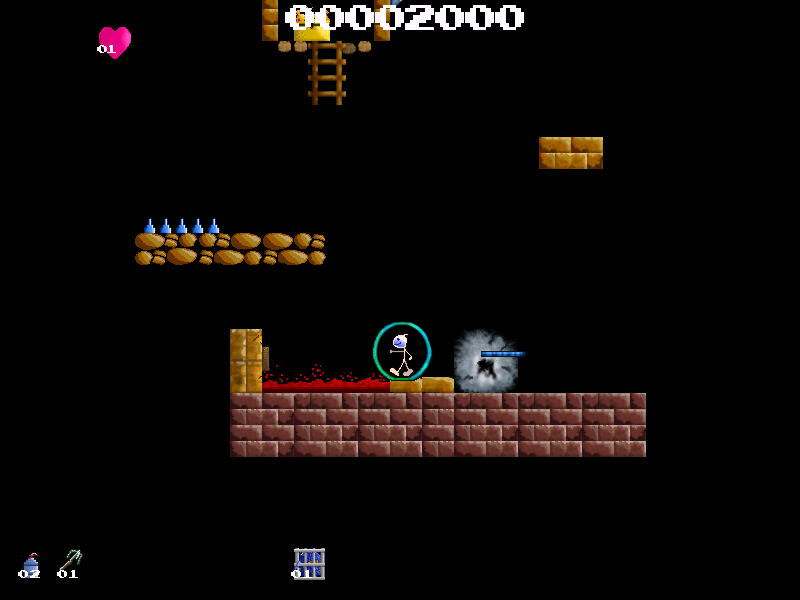 2D Platform Adventure Game
This is a 2D adventure platformer with many ways to finish each level. It was inspired by the platform games of the past, but we wanted a game with less restriction; one that offered more freedom to explore and numerous ways to complete. Gee Geekers allows multiple styles of play and is designed to be non-linear. Most levels have three separate portals to exit and a different path through more than 100 levels can be chosen each time you play. Almost every challenge has multiple solutions.
This game was listed as missing in action: it was no longer available when the site closed.
License: unknownCost: $15.00 USD
Requirements: SDL and SDL mixer
| Sound: | Play in X: | Play in Console: | Multiplayer: | Network Play: | 3D Acceleration: | Source Available: |
|---|---|---|---|---|---|---|
| yes | yes | no | no | no | no | no |
Submitted by 2DGamers on 2007-09-08.
What you can't see in this picture is the fact each level is suspended in an empty plane and that everything can be destroyed on a level including all of the ground and enemies (there are restrictions for gameplay mechanics, but this is the general rule). The gameplay is a jump and run, but there is much more to it. You can jump, throw your grappling hook, crawl, climb, use bombs, acid, gas and create your own "girders" to jump on to make your way through each level.
We think the replayability is high, but only you can be the judge!
Keep in mind the idea of this game is replayability. You don't have to take the same path over and over or use the same strategy to finish. Getting tired of a path? Use some acid and blow a new hole. Maybe you don't like a particular level - don't take it. Also, because the in-game editor is included with the full version, you will be able to make different levels and modify the ones that exist. Drag and drop, maybe tweak some parameters and save.
I like good games like this. :)
The controls are set up so your left hand is in position over the WADX keys and your right hand positioned over the arrow keys (on a many keyboards) and the right control (the “action” key). This way you can reach all of the buttons without having to move your hands or stretch your fingers unnaturally.
However, the key bindings can be changed to suite your personal style. Edit gg.conf and replace how the bindings are layed out. For instance, to change the action key to the left control it would look like this:
ACTION = LCONTROL
The README.txt explains this in a bit more detail (at the bottom) and also includes a full list of valid bindings.
If this doesn’t help, please let us know.