







jigzo
Version: 0.6
Category: Mia
Average of 1 Ratings: 

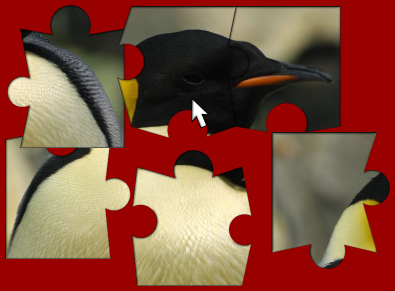 An OpenGL jigsaw puzzle game
jigzo (previously glpuzzle) is a jigsaw puzzle game. Choose from 12 puzzles of various difficulties (4 to 25 pieces), or add your own puzzles. Move the pieces around to create the target picture. jigzo uses OpenGL for smooth movement and eye-candy.
This game was listed as missing in action: it was no longer available when the site closed.
License: freeRequirements: OpenGL, libpng 1.2.x, libjpeg, SDL, SDL_mixer (optional)
| Sound: | Play in X: | Play in Console: | Multiplayer: | Network Play: | 3D Acceleration: | Source Available: |
|---|---|---|---|---|---|---|
| yes | yes | no | no | no | yes | yes |
Submitted by mdeboer on 2008-04-08.
As you put the pieces together, the 'loose' piece's get hidden and you have to hit f to bring piece to the fromt. It might be easier to have the spacebar bring all the pieces to the front or push them back.
The pieces 'clicking' together tolerance perhaps could perhaps have a setting to vary it, as the first time my daughter was playing, she had a little trouble dispite having the right piece.
The other would be that you have to go online to make new puzzles. I would love to be able to do this via the program eventually.
Aside from these, the interface is simple enough for my three year old to enjoy, and she constantly asks me to play it :D
Thanks for your comments.
The bring-to-front could certainly be easier and more intelligent. But to start with, I will use the space-bar instead of the 'f', as you suggest. As for the tolerance: I am working on a version with rotating pieces, and here a tolerance setting is even more necessary, so I will add it. Integrating the puzzle-maker is not going to happen soon, I'm afraid...
maarten
The connection tolerance levels certainly seemed to make it easier for my daughter to put the pieces together. She didn't show any signs of becoming frustrated and was able to place the pieces with relative ease, so it looks pretty good. A slight problem I could see as she played was that she wanted to hold on to one piece and move that piece to 'pick up' the other pieces, but she would invariably run out of room to move the mouse while holding practically the whole jigsaw. I would perhaps have the jigsaw in a static position in the background, and the pieces are placed in their specific areas. It'd perhaps not as dynamic and exciting, but for younger players it could be a touch more accessible.
I think the 'bring to the front' mechanic would be great if hitting space could bring all the pieces (Rather then one at a time) in front of the image, and pressing it again to send them back.
We played with the rotation a little, but I felt it was a little complicated for her. Perhaps someone on Happy penguin with children a little older can offer more feedback regarding that. As she gets older I can imagine she'd like to have that feature though.
I have no idea about how difficult it would be to implement, but making jigsaws from your own pictures inside the program would be a lot of fun, and I think it would add a lot to the longevity of the use of the program. We recieve a lot of pictures from our family overseas, and it'd be fun to put Grampa together ;-)
The whole program is very clean and clear. Very polished in my opinion. The beveled edges to the pieces looked good too. Forgive me if I missed that in 0.5.1, but I noticed it this time. Now, we didn't have the sound turned on this time, so I will have to look at that again later when she plays, but if I remember correctly from 0.5.1, the sound was a little loud. Made my jump when we finished the puzzle haha. Nothing major though.
I hope our comments help you. I certainly don't mean to be harsh or try to dictate the features, but I can see this program as something my daughter will absolutely love. There are so few things she can really enjoy on the computer without going to a website with a lot of flash games etc. I think the same could be said of sofware for the younger set.
Keep up the great work! We'll keep play testing and if we think of anything else, we'll let you know. Thanks a lot for this!
Thanks again! Off to play Jigzo some more :D