







Megazeux
Version: 2.82b
Category: Util
Average of 3 Ratings: 

 Game creation system based on the classic ASCII text-based game ZZT
Megazeux is a game creation system inspired by ZZT, a game with ASCII graphics and a simple scripting language called ZZT-OOP. Megazeux expands on ZZT by having editable fonts and palette colors, a more flexible scripting language and gameplay, and support for MOD music in a wide variety of formats, while also supporting OGGs in later versions.
The original shareware release included the default game, Caverns of Zeux, but many of its users have created a wide variety of games for it which can be downloaded from the homepage. There are also contests as well, such as the semiannual Dualstream Day of Zeux (DSDoz).
License: free
Requirements: SDL
libmodplug and gdm2s3m (both included in contrib/)
OpenGL (optional, for hardware scaling of the screen)
libpng
| Sound: | Play in X: | Play in Console: | Multiplayer: | Network Play: | 3D Acceleration: | Source Available: |
|---|---|---|---|---|---|---|
| yes | yes | no | no | no | yes | yes |
Submitted by frankjr on 2006-04-06.
It's very portable, very stable, and the features are almost endless. Can get quite addicting considering you get the right games.
The GCS itself is very versatile, and even supports coding.
SOmehow I never thought to try MZX until now, but I am unable to run it.
Any tips would be great, thanks.
woden[mzx281g]$ ./config.sh --platform linux --prefix /usr

Building for platform:   linux

Using prefix:            /usr

Using sysconfdir:        /etc


X11 support enabled.

OpenGL support enabled.

Selected Modplug music engine.


Now type "make".

woden[mzx281g]$ make
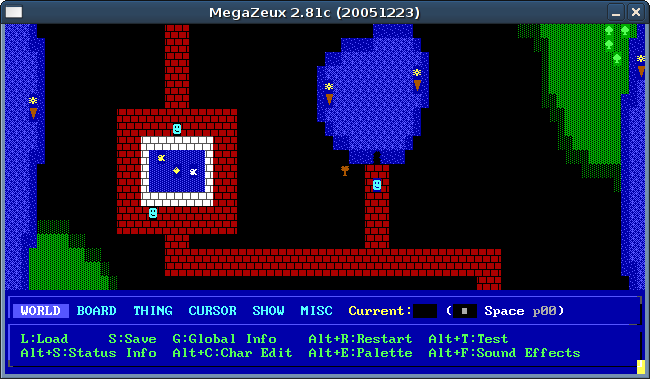
Downloaded caverns.zip and extracted it into the mzx281g installation folder. I ran the engine from the installation folder with "./mzx281g" and I got this :-
Presumably it's a menu of installed games, so I pressed ENTER and the game started. In-game I pressed ENTER to see my status and I got this :-
Am I supposed to "make install" because make install uses the DESTDIR variable which I can't seem to find being initialised anywhere.
Cheers
megazeux1.gif | megazeux2.gif
The reason I didn't initially install it was because docs/build.txt says "Type make and if you wish to install to /${PREFIX}/bin follow it with make install." and I understood this to mean that installation was optional.
I like to install games into my home folder and I eventually managed to do this with a little bit of hacking.
Cheers