







Neverwinter Nights Installer
Version: 1.29
Category: Util
Average of 4 Ratings: 

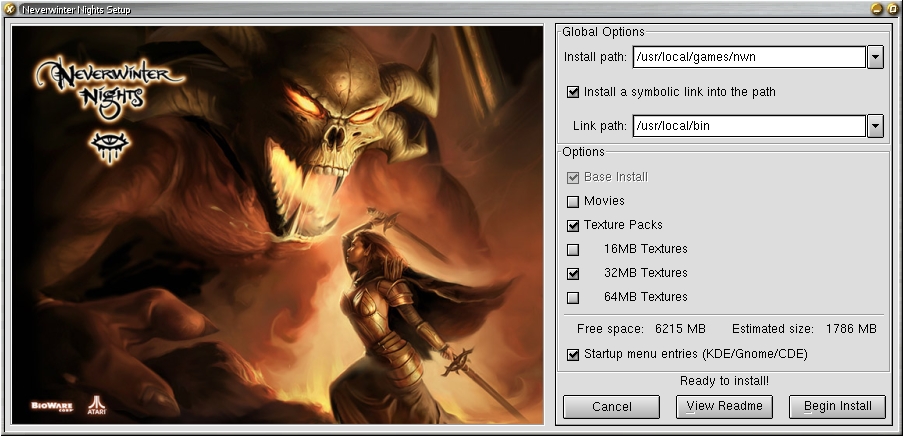 Installs files necessary to play Neverwinter Nights from the CDROMs.
This is an installer extracts the Neverwinter Nights data from the installation CDs for use with the Linux client.
If your cdrom mount point is not listed below, you will have to set an environment variable first. These are the mount points:
- /mnt
- /mnt/cdrecorder
- /mnt/cdrom
- /mnt/dvd
- /media/cdrecorder
- /media/cdrom
- /media/dvd
export SETUP_CDROM=/path/to/cdrom/mountpointReplace /path/to/cdrom/mountpoint with where your cdrom gets mounted. This installer uses close to 1GB of space in /tmp during installation. If you have limited space in /tmp, change your temp directory to somewhere where you have more than 1GB free. eg. from a shell, type
export TMPDIR=/home//
License: free
| Sound: | Play in X: | Play in Console: | Multiplayer: | Network Play: | 3D Acceleration: | Source Available: |
|---|---|---|---|---|---|---|
| no | yes | no | no | no | no | no |
Submitted by bobz on 2003-03-20.
NO WINDOWS OR WINEX REQUIRED.
AND 3D accelleration
They don't suck even a little. They made a linux port of a very cool game.
And they can't use my installer(http://members.cox.net/monteslu/nwn_data_installer.html) or Ravage's installer (http://icculus.org/~ravage/nwn) because they made the mistake of using InstallShield.
InstallShield's EULA prohibits bioware from using anything else to extract the data from the CD1 cabs other than InstallShield products.
right. they didnt say they couldnt do it or whatever. they said that there is no way to do it...
http://www.btinternet.com/~simon_constable/nwnicons.html
Regards
P.S. God bless Bioware :p
Anyone have experience converting from a bitmap image to a vector image -- like SVG?
Great that its finally become a reallity, unfortunately I think ive actually lost interest in the game now :( bugger
His latest installer comes with the 1.29 patch.
-ravage
Here's what to do:
If it crashes on you, you'll have to do this:
- cp miles/* /usr/local/lib/
- cd /usr/local/lib
- rm libmss.so.6 libmss.so
- ln -s libmss.so.6.5.2 libmss.so.6
- ln -s libmss.so.6 libmss.so
- ldconfig
or some other method of making it realize the miles libraries are there.-ravage
Neverwinter Nights Linux Guild
Does that exist on your Play Disc?
ocean:/usr/local/games# sh nwn_129_linux_installer.run Verifying archive integrity... All good. Uncompressing Neverwinter Nights for Linux (build: 1.29.6758 Beta 2)............ ..................................................................... Mounted device /dev/cdrom
**************************************************************
Extracting Neverwinter Nights Files from Installshield Package
**************************************************************
/tmp/selfgz829/wine/wine: relocation error: /tmp/selfgz829/wine/libntdll.so: sym bol __libc_fork, version GLIBC_2.1.2 not defined in file libc.so.6 with link tim e reference /tmp/selfgz829/wine/wine: relocation error: /tmp/selfgz829/wine/libntdll.so: sym bol __libc_fork, version GLIBC_2.1.2 not defined in file libc.so.6 with link tim e reference /tmp/selfgz829/wine/wine: relocation error: /tmp/selfgz829/wine/libntdll.so: sym bol __libc_fork, version GLIBC_2.1.2 not defined in file libc.so.6 with link tim e reference /tmp/selfgz829/wine/wine: relocation error: /tmp/selfgz829/wine/libntdll.so: sym bol __libc_fork, version GLIBC_2.1.2 not defined in file libc.so.6 with link tim e reference /tmp/selfgz829/wine/wine: relocation error: /tmp/selfgz829/wine/libntdll.so: sym bol __libc_fork, version GLIBC_2.1.2 not defined in file libc.so.6 with link tim e reference /tmp/selfgz829/wine/wine: relocation error: /tmp/selfgz829/wine/libntdll.so: sym bol __libc_fork, version GLIBC_2.1.2 not defined in file libc.so.6 with link tim e reference
Installshield extraction failed!
Did you export SETUP_CDROM before installing?
Unable to find file 'chitin.key' Unable to find file 'data' Unable to find file 'dmvault' Unable to find file 'docs' Unable to find file 'localvault' Unable to find file 'modules' Unable to find file 'servervault' Unmounting device /dev/cdrom The program returned an error code (3)
Excuse my newbieishness, but I have no idea why it isn't finding the first install disk at the mount point indicated. If I continue to run the installer (it asks me to swap over CD's), it seems to find everything it requires on install disk 2 and the play disk.
TIA, ttfn, Neptune
Reason: If you don't have ample room in /tmp & /usr/local/games, the patch may not be applied. The GUI will not report a failure, so it will look like everything is A-OK.
Details: The upgrade patch is applied just after you enter the CD key. If it fails, a warning will appear on the terminal where you started it. Check to make sure that the patch has been applied at this stage.
yesterday, i've got the delivery of the Edition Pack from TuxGames and i installed the game with this installer insted of the one which is on the additional TuxGames CD. And i have to say the installer works fine. The only thing i missed was that i'm able to install the game systemside so all users could run the game.
But i think it's a problem of the client not the installer. I hope that soon the most commercial games will have clients for linux.
Good Work..
bye bye, Steffen