







QuakeForge
Version: 0.6.0
Category: Action
Average of 3 Ratings: 

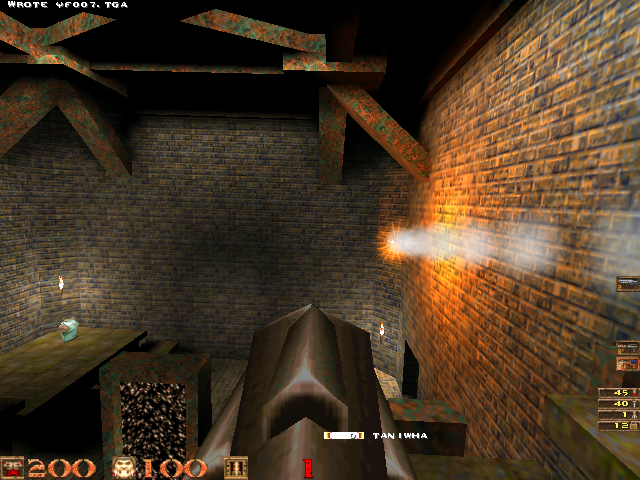 First-person shooter Internet game engine
QuakeForge is a source port of Quake and QuakeWorld, the successors to id Software's very popular DOOM series. Its primary development goal is to remain compatible with the original games released by id Software while adding portability and optional extensions to enhance gameplay.
License: free
Requirements: One or more of: SDL, Xlib, SVGAlib.
For OpenGL support, you need an OpenGL 1.2-compliant implementation. Hardware acceleration is HIGHLY recommended.
| Sound: | Play in X: | Play in Console: | Multiplayer: | Network Play: | 3D Acceleration: | Source Available: |
|---|---|---|---|---|---|---|
| yes | yes | yes | yes | yes | yes | yes |
Submitted by anonymous on 2000-01-31.
dTd
Thanks!
For anyone interested, my machine is a dual Alpha Server 5000 from Digital. 2 533mhz EV56 processors and 256 megs ram. It really just runs my NAT, but I've been trying to find a program worthy of it's number crunching power. It runs very smoothly with just software rendering under SDL. I havne't even tried to put a 3D card in this thing, it doesn't have an AGP slot, and I can't use any nVidia cards because the drivers are closed source and I can't recompile them for the alpha.
This port rocks, I bought quake 1 somewhile ago and compile the id3 soft source to make it run on my box, but I could not get 3d accel to work or fullscreen or anything .. but with quakeforge it just works :)
Now if the quakeforge.org site will be up some time soon ill be going there for more info, cant seem to get the server running :(
Tanks
Try using "-sndspeed 48000" or "-sndbits 16" as command line options (or swapping sound drivers %<) Also try "artsd &" and then "artsdsp -m glquake.glx"
1. First off, compile the latest QuakeForge (0.5.5, as of this writing) using instructions found here. As the site explains, the QuakeForge was designed to compile on GCC 3.4, so you'll have to get that first as it doesn't work on GCC 4.
2. Find your Quake CD and move the .pak files (you may have to convert them to lower case) to /usr/local/share/games/quakeforge/id1
3. If you don't want music, you're done. If you want it like I did, then get your Quake CD again and rip all music (track 2 and onward) to ogg format. For the sake of simplicity, name them track02.ogg and onward (track02.ogg, track03.ogg, track04.ogg, etc.). You can actually name them however you want, but then you'll have to edit tracklist.cfg below.
4. Make a folder in /usr/local/share/games/quakeforge/id1 called music. Then, while still in the id1 folder make a file called tracklist.cfg that should look like this:[br /]
// sample track list
{
  2 = "music/track02.ogg";
  3 = "music/track03.ogg";
  4 = "music/track04.ogg";
  5 = "music/track05.ogg";
  6 = "music/track06.ogg";
  7 = "music/track07.ogg";
  8 = "music/track08.ogg";
  9 = "music/track09.ogg";
  10 = "music/track10.ogg";
  11 = "music/track11.ogg";
}
5. You're done. Enjoy playing Quake!