







Tetzle
Version: 2.0.0
Category: Puzzle
Average of 2 Ratings: 

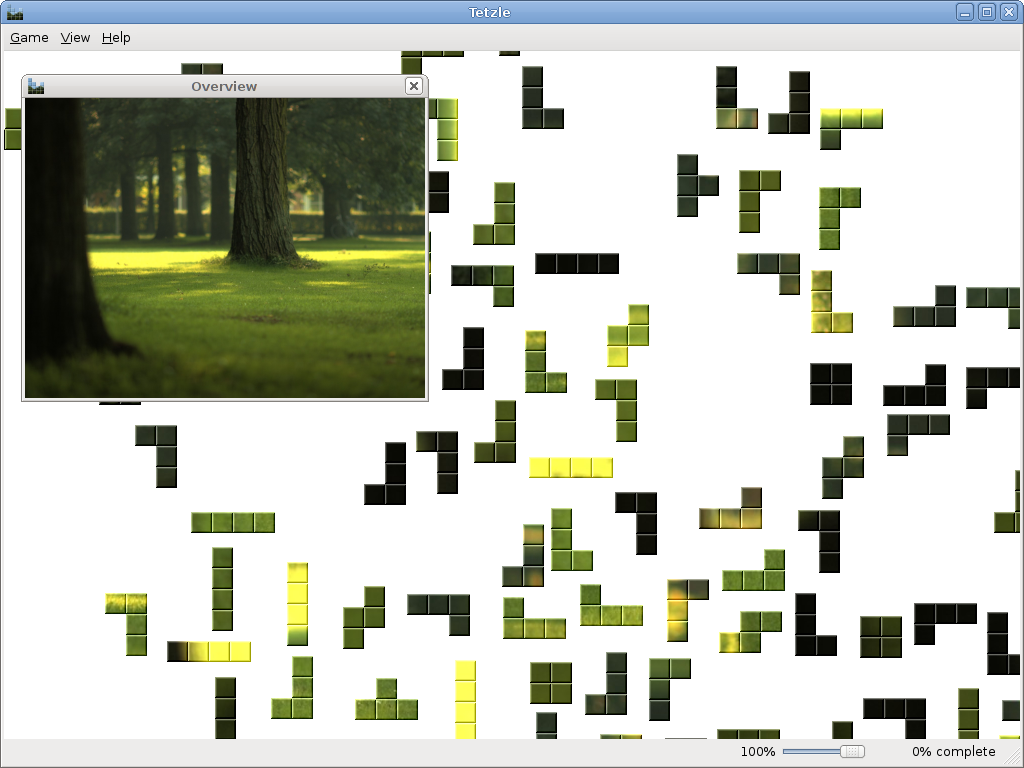 Jigsaw puzzle with tetrominoes
A jigsaw puzzle game that uses tetrominoes for the pieces. Any image can be imported and used to create puzzles with a wide range of sizes. Games are saved automatically, and you can select between currently in progress games.
License: free
Requirements: Qt 4.7
OpenGL 1.1
| Sound: | Play in X: | Play in Console: | Multiplayer: | Network Play: | 3D Acceleration: | Source Available: |
|---|---|---|---|---|---|---|
| no | yes | no | no | no | yes | yes |
Submitted by gottcode on 2008-05-09.
At first it slowed down when I opened a directory with 92 large images in it. I used force quit in gnome to kill that instance. Then when I ran it a second time it worked but I chose too many puzzle pieces and I went to run a new game with 64 pieces but instead of displaying the pieces of the photo it displayed some random grayscale blocks. After I exited the program then every time since it just flashes up the creating puzzle dialog box but crashes soon after, leaving a process tetzle running in the background.
I tried to compile from source but I don't know what package for Ubuntu 8.04 I need for the QT4.3 library. I also tried to remove the ./local/share/games/tetzle directory because it looked like a config error but it just won't work even if you delete that.
The grayscale blocks sound like the bumpmap textures, and that they are not being applied to the image texture. Which is odd, because you implied it worked at least one time. You could try running the executable as "LIBGL_ALWAYS_INDIRECT=1 ./tetzle" and see if it works with software rendering.
How large were the images? I just tested a directory with several hundred 6 megapixel images and it didn't slow down (it creates the previews in a separate thread).
The only way I've been able to crash it is if I start a game that references a missing image. I'm going to make a bugfix release soon that prevents games from starting that refer to missing images.
I believe that in Ubuntu the package necessary for compiling Qt 4.3 programs is libqt4-dev.
The configuration file is "~/.config/GottCode/Tetzle.conf"; only the game data is stored in the "~/.local/share/games/tetzle" directory.
Obviously I haven't entirely figured out what's wrong with your game yet, but I hope that at least something of this will be helpful.
The version 1.1.0 is a great improvement over the old version I was playing. I no longer have problems with the config file or not being able to save my game progress.
My feature wish list is as follows
I'm pleased to hear that you are having a better time with this release.
I liked your suggestions, so I've incorporated them and they are available in the tetzle git repository. Thanks for the ideas!
Great game, thank you Graeme. Adds a new dimension to my pr0n collection ;)
Wish list:
I thought your code was exemplary, by the way. Very clear.
Thanks again.
You can move the play area around by middle mouse button dragging (or left mouse button + shift dragging), did you mean something more than that?
I implemented your other feature requests this morning, and they are available in the tetzle git repository.
I hope you continue to enjoy Tetzle!