







Theory of Magicity
Version: 0.4
Category: Action
(not yet rated)

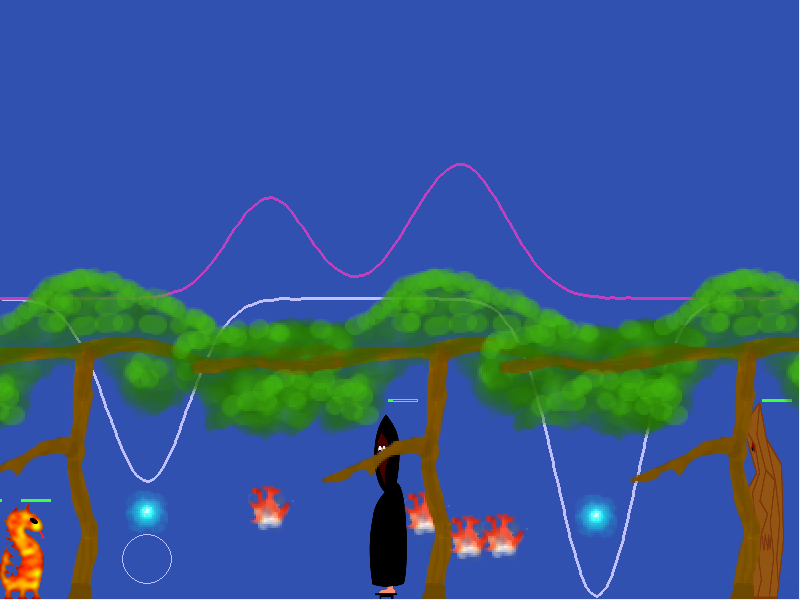 Physics-like magic implementation
This is an experimental game made for an university course. The idea was to attempt to treat magic as a physics-like system rather than a set of canned spells.
It's more like a proof-of-concept currently, but features 4 playable levels for your enjoyment.
License: free
Requirements: pygame
| Sound: | Play in X: | Play in Console: | Multiplayer: | Network Play: | 3D Acceleration: | Source Available: |
|---|---|---|---|---|---|---|
| yes | yes | no | no | no | no | yes |
Submitted by windo on 2009-12-13.
I find the controls a bit cucumbersome:
1) Press X to turn on the Energy Magic Field display
2) Press Ctrl-X to cast an Energy Magic Ball
3) Press S several times to make it negative
4) Press A/D to move it where you want it ...
How about instead: The Energy Magic Field Display will automatically turn on when needed. Press X to cast an Energy Magic Ball which can be dragged left/right with the mouse - just click on it to turn it between posetive and negative.
Also, the magic name "energy", "earth" and "light" don't seem very descriptive.
This is the controls I have found:
MOVEMENT
LEFT ARROW Move character left
RIGHT ARROW Move character right
J Move screen left
L Move screen right
K Center screen on character
ENERGY MAGIC BALL
DESCRIPTION: Wind which will push objects (rabbits or the players character) left or right. Posetive balls blows right. Negative balls blows left
X Display/hide the Energy Magic Field
shift-X Cast an Energy Magic Ball
EARTH MAGIC BALL
DESCRIPTION: Fire or Ice. They can be posetive or negative. A negative one will cancel out any posetive magic it encounter. Press Ctrl-D to capture an enemy ball. C Display/hide the Earth Magic Field
shift-C Cast an Earth Magic Ball
LIGHT MAGIC BALL
Z Display/hide the Light Magic Field
shift-Z Cast a Light Magic Ball
MAGIC BALL CONTROLS
A shift Magic Ball direction towards left
D shift Magic Ball direction towards right
W make Magic Ball posetive
S make Magic Ball negative
R Cancel magic ball
OTHER
TAB Display technical stuff
However, I would like to keep some mechanics in the game (it doesn't counter your suggestions, just an explanation of why they are like that). What I would really like this game to have is controlling several balls together and mixing their effects. For example having a lightball and a slightly negative earthball together to have a speed boost without losing health. It does not make much sense atm as the interactions between magic fields are not very interesting, but that's the general direction I'd like to take this game in.
Also, the field names are indeed confusing. I had a more elaborate plan where they made a bit more sense, but in current implementation they clearly fail to describe the field's purpose. Good point! In all honesty, the fields need some thorough rethinking anywise.
Do you know why exactly it crashes on Vista? magicity.exe.log file should contain something (a backtrace) if it crashed in python code. Otherwise it may also be due to building the win32 version in wine (it's known to have problems).
Thanks for your pointers, I'll try to ease up on the controls and see how a mouse could fit there.
The error seem to happen when I press 'R'
magicity.exe.log contains:
C:\Users\Kasper\Documents\Downloads\magicity-0.3beta\library.zip\effects.py:66: DeprecationWarning: integer argument expected, got float
Traceback (most recent call last):
File "game.py", line 599, in
File "game.py", line 346, in title_screen
File "game.py", line 565, in run_story
AttributeError: 'bool' object has no attribute 'selected'