







Ukrainian Rumble 2
Version: Proof of Concept 1
Category: Simulation
(not yet rated)

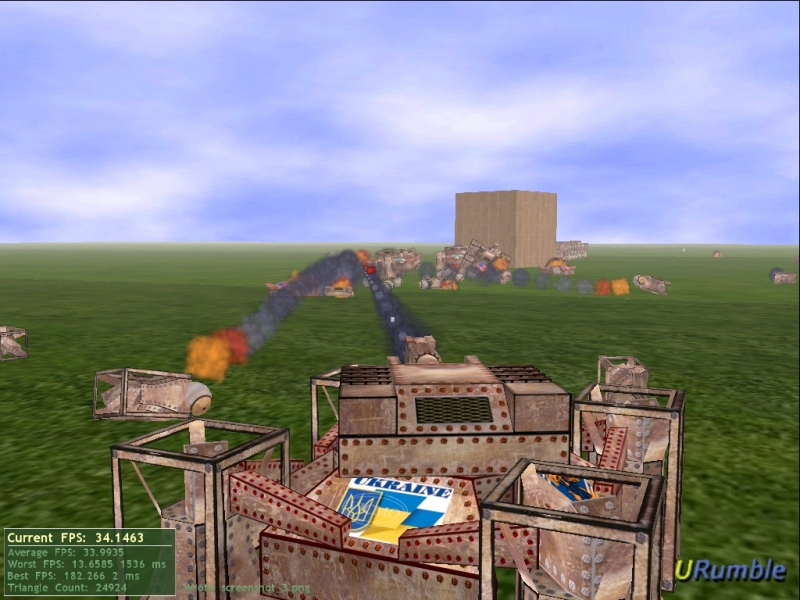 Mechanical FPS with destructible physics
- Mechanical FPS with the following features:
- mechanical structure of the robot is linked to its functionality
- each part: (arm, leg, wheel, head, tower, radar, etc.)
- can be independently damaged
- plays its role among various abilities of a robot, thus each ability can be shutdown by damaging a certain part.
License: free
Cost: free
Requirements:
- Ogre 1.0.x
- OpenAL
- OPAL and ODE
- Raknet
| Sound: | Play in X: | Play in Console: | Multiplayer: | Network Play: | 3D Acceleration: | Source Available: |
|---|---|---|---|---|---|---|
| no | yes | no | no | no | yes | yes |
Submitted by Olex on 2005-10-21.
Now if only I wasn't so god-damn lazy and register to rate it...
You can also check my blog on the development: http://urumble.blogspot.com/
cd '/home/sparr/download/urumble2/kdevelop' && WANT_AUTOCONF_2_5="1" WANT_AUTOMAKE_1_6="1" make -f Makefile.cvs && cd '/home/sparr/download/urumble2/kdevelop/debug' && CXX="ccache g++" EXT_HASH="1" GCC_3_1="1" LDFLAGS="-lOgreMain -lcppunit -ltinyxml -lopal-ode -lopenal -lraknet" CPPFLAGS="-I/usr/include/OGRE -DLINUX -I/usr/include -I/usr/local/include/raknet -I/usr/local/include -I/usr/local/include/tinyxml -I/usr/local/include/opal -DOPAL_USE_DOUBLE -DGCC_3_1 -DEXT_HASH" CXXFLAGS="-Wall -g -O0 -pg" "/home/sparr/download/urumble2/kdevelop/configure" --enable-debug=full && cd '/home/sparr/download/urumble2/kdevelop/debug' && WANT_AUTOCONF_2_5="1" WANT_AUTOMAKE_1_6="1" make -k -j1 aclocal /usr/share/aclocal/smpeg.m4:13: warning: underquoted definition of AM_PATH_SMPEG run info '(automake)Extending aclocal' or see http://sources.redhat.com/automake/automake.html#Extending-aclocal /usr/share/aclocal/lib3ds.m4:4: warning: underquoted definition of AM_PATH_LIB3DS /usr/share/aclocal/glib.m4:8: warning: underquoted definition of AM_PATH_GLIB autoheader automake configure.in:10: required file `src/Makefile.in' not found Makefile.am:5: required directory ./src does not exist make: *** [all] Error 1 *** Exited with status: 2 ***
Basically, you need to run ./create_symlinks.sh located in kdevelop folder before opening .kdevelop project.
The script above will create neseccary symlinks.