







Unreal I Installer
Category: Util
Average of 4 Ratings: 

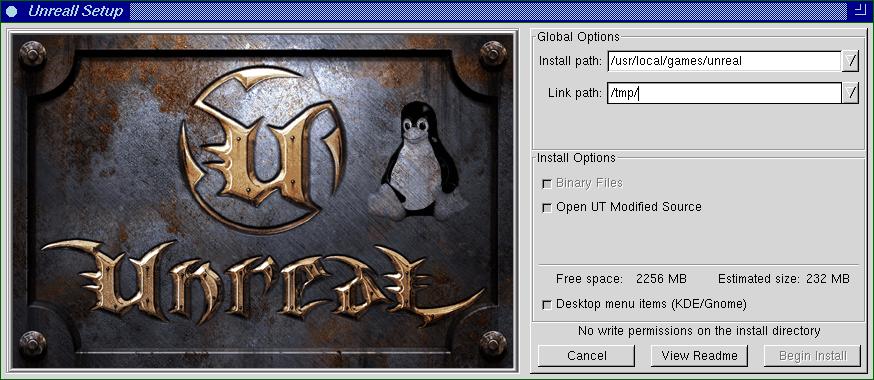 Installs Unreal 1 under Linux
Chunky's announcement on Linuxgames:
I've put together an Unreal I installer for Linux for if you have UT installed and an Unreal I CD. It's like the old unrealI installer was, but it's cooler for several reasons:
License: free
Requirements:
| Sound: | Play in X: | Play in Console: | Multiplayer: | Network Play: | 3D Acceleration: | Source Available: |
|---|---|---|---|---|---|---|
| no | yes | no | no | no | no | yes |
- Unreal I Installer home page
- Download Unreal I Installer
- Official Unreal Homepage
- OpenUT homepage
- README
Submitted by nilfilter on 2002-05-26.
I almost damaged my mouse once or twice by hitting it hard onto the desktop, this game still scares the sh** out of me eventhough I'm running it in "tourist" mode...
Hat up to you, Chunky!
Personally, I think "Unreal" is covered well by listing Chunky's installer.
go to console, type ghost, go back to game, walk though the door, go to console, type walk, go back to game, walk forward and the next level will load
Now I want the missionpack!
I haven't reinstalled Unreal since I swapped distributions so I don't really know how far I got. I think I soon install it again, and I might need your workaround too :)
Return To Na Pali has been done.
http://icculus.org/~ravage/unreal/napali/
It runs off the UT engine also.
---------------- (2) INSTALLATION ----------------
Before starting the installation process with "sh unreali-install.run" you must have Unreal Tournament Installed, and the UnrealI CD in your CDROM drive and have it mounted.
I haven't tried this installer though, so I'm just guessing here...
Then, if you copy all content from Unreal 1 CD folders Maps, Sounds, Music and Textures to your UT respective directories without overwriting existing files, launch UT and Enable OldSkool Amp'd in the Options menu, you should find a "New Single Player" option in the first menu. By clicking there, if you already copied the content of Unreal to your UT folder, you will find a choice to play the original Unreal 1 with all the difficulty levels supported. It might sound a bit more complicated, but I never had trouble using this method.
http://appdb.winehq.org/...
There's a comment in the link above called "Native Binary available"; read it. It basically says go here:
http://www.oldunreal.com/oldunrealpatches.html ...to get this: UnrealPatch227fWinLin.zip ...and use Wine again to run the patch executable. The patch adds a Linux binary in the System folder called UnrealLinux.bin and you simply need to set executable permissions before running it.
There's SDLSoftDrv or OpenGL and OpenGL looks awesome at 1152x864.