







vitetris
Version: 0.56
Category: Mia
Average of 3 Ratings: 

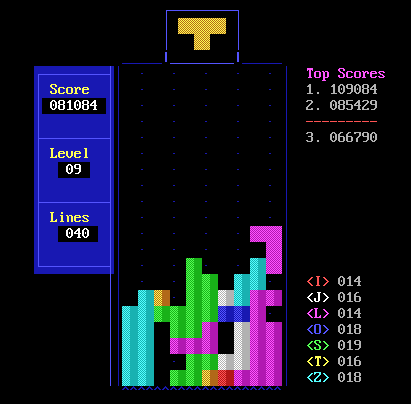 Text-based Tetris clone with network 2-player mode.
vitetris is a Tetris variant for terminal and console playing, with two-player mode, configurable keys and joystick (gamepad) support.
Rotation, scoring, levels and speed should resemble the early Tetris games by Nintendo, with the addition of a short lock delay which makes it possible to play at higher levels.
There are options to customize the characters used for drawing blocks, different modes for different terminal sizes etc.
This game was listed as missing in action: it was no longer available when the site closed.
License: free| Sound: | Play in X: | Play in Console: | Multiplayer: | Network Play: | 3D Acceleration: | Source Available: |
|---|---|---|---|---|---|---|
| no | yes | yes | yes | yes | no | yes |
Submitted by nils on 2007-12-14.
I have yet to challange the Mrs. to a game in 2 player, so I cannot comment for all the features yet, but so far it seems like a very solid release. The only critique I have is the presentation. It'd be nice to have curses clear the screen and everything centered etc Just presentation stuff really, but that is just for my tastes.
In fact, I am going to have another round before I go study, (Sounds familiar :o.) I look forward to all the updates planned.
Simple and solid = 4 stars from me.
Minimal system dependencies and Linux-standard build system make this an easy install.
I've never seen such a complete console version of Tetris. Every feature on every version of tetris is replicated here. Everything is configurable: which direction the rotate key turns the piece and around which point, the piece color, piece and board backgrounds, drop speed, everything. Multiple rotation keys are supported. Even multiplayer is supported, although not over the network: hotseat play is what we're looking at here.
Network play would normally be required to make this a 5-star game for me, but I provide the extra star to make up for someone else's misguided rating. An outstanding tetris version!
I'm glad you like it!
Network play is actually there - it's just not very visible. (But it is explained in the README file.) You have to use command-line options: