







XScrabble
Version: n/a
Category: Puzzle
(not yet rated)

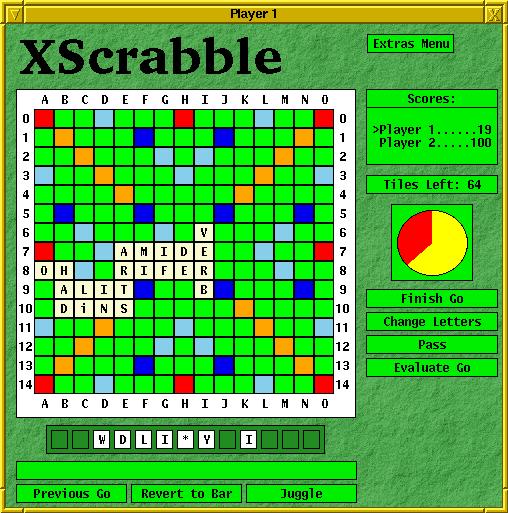 Multiplayer (1-4) implementation of Scrabble
This is a full multiplayer (1-4) implementation of the classic board game, with computer players, and over 118,000 word dictionary (the Official Scrabble Players Dictionary, edition 3, as used in U.S. tournaments). There is a high score table, a best single goes list, a handy setup window, and load/save facilities.
NEW:
After four years, an updated version is now available which contains a fix to work with newer versions of libXaw.
License: free
| Sound: | Play in X: | Play in Console: | Multiplayer: | Network Play: | 3D Acceleration: | Source Available: |
|---|---|---|---|---|---|---|
| no | yes | no | yes | no | no | yes |
Submitted by nilfilter on 2002-07-12.
P.S. YOUR WEBSITE STRAIGHT UP sucks!
bye bye
or from ftp://ftp.ac-grenoble.fr/ge/educational_games/
You will also need xscrabble_en.tgz from the second link.
To install you will need the xaw development libraries installed.
I installed the game in /usr/local, and had to create a couple of directories which it complained it could not find.
Because of the above directories not existing it had copied the resource file to /usr/local/lib/X11/app-defaults (file name not directory name). I moved the file out of the way, created a directory, and renamed the file to /usr/local/lib/X11/app-defaults/XScrabble and the install worked.
Running the program it waid it could not find the resource file XScrabble I solved this by setting XAPPLRESDIR=/usr/local/lib/X11/app-defaults and exporting it before running the program. Presumably if I installed in the default location this would have been OK.
Launching the game did not work because /usr/local/games/bin is not in path. I needed to put it in path for xscrabble (Setup program) to find xscrab:
PATH=$PATH:/usr/local/games/bin
The resource file needs to be changed also to change /usr/games/ to /usr/local/games Resource files are /usr/local/lib/X11/app-defaults/*
As to the game itself, the AI is pretty good. You do not get the point value on the tiles, though you can 'evaluate go' which gives you the score. The If you make a mistake you cannot take back your go - so its strict rules there, though you can cheat a bit by viewing the AI players letters. You can also check a word. Some other options in the help menu seem to have no effect - maybe they were intended to be released later.
I hope this helps someone.