







YanC
Version: 0.2.1
Category: Mia
(not yet rated)

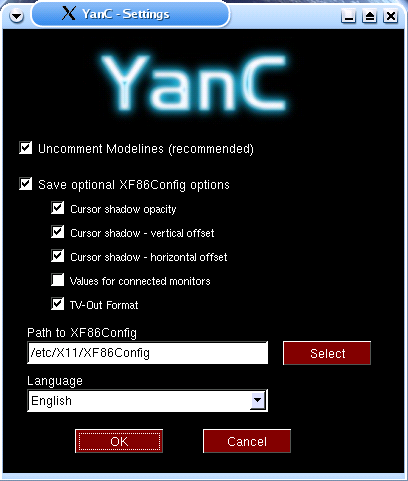 Tool for changing nVidia-specific settings
YanC or "Yet another nV Configurator" is a small tool which you can use to change ATI/nVidia-specific settings (almost) as easily as with the Windows-drivers. You can edit the settings for the AGP-Support, the Cursor Shadow, the Logo, for Digital Vibrance Control and, of course, TwinView.
Furthermore, YanC offers the possibility to run your OpenGL-applications (e.g. games) with your favourite settings for antialiasing, anisotropic texture filtering and vsync to blank without difficult command-line operations. If you're intimidated by setting environment variables or editing your XF86Config file, give this tool a try.
YanC42 is a rewrite in Java with 0.0.9 being the last version.
Development has stopped because of lack of time and because ATI and nVidia have improved their configuration tools as well, so there is not much need for YanC anymore.
This game was listed as missing in action: it was no longer available when the site closed.
License: freeRequirements: Qt or Java
| Sound: | Play in X: | Play in Console: | Multiplayer: | Network Play: | 3D Acceleration: | Source Available: |
|---|---|---|---|---|---|---|
| no | yes | no | no | no | no | yes |
Submitted by nilfilter on 2003-01-28.
Comments
Not bad for a front end ;-) posted by anonymous on Jan 30 2003 2:49 AM

Ok, at least i have the TwinView active.
I only need "overscan" for TV out.
For overscanning you need to use nvtv: http://www.sf.net/projects/nv-tv-out
This is not my lucky day :-(
The program is not compatible with GeForce4 MX 440.
Maybe in the future :-|
Debian? posted by grolschie on Apr 6 2003 7:31 PM
Looks great! Any .debs in the pipeline for Debian-based distributions?
wow.. java and swt posted by anonymous on Sep 2 2005 6:08 PM
now thats going to get you more users! .. not .. doesn't nvidia-settings include all this functionality along with the driver now?